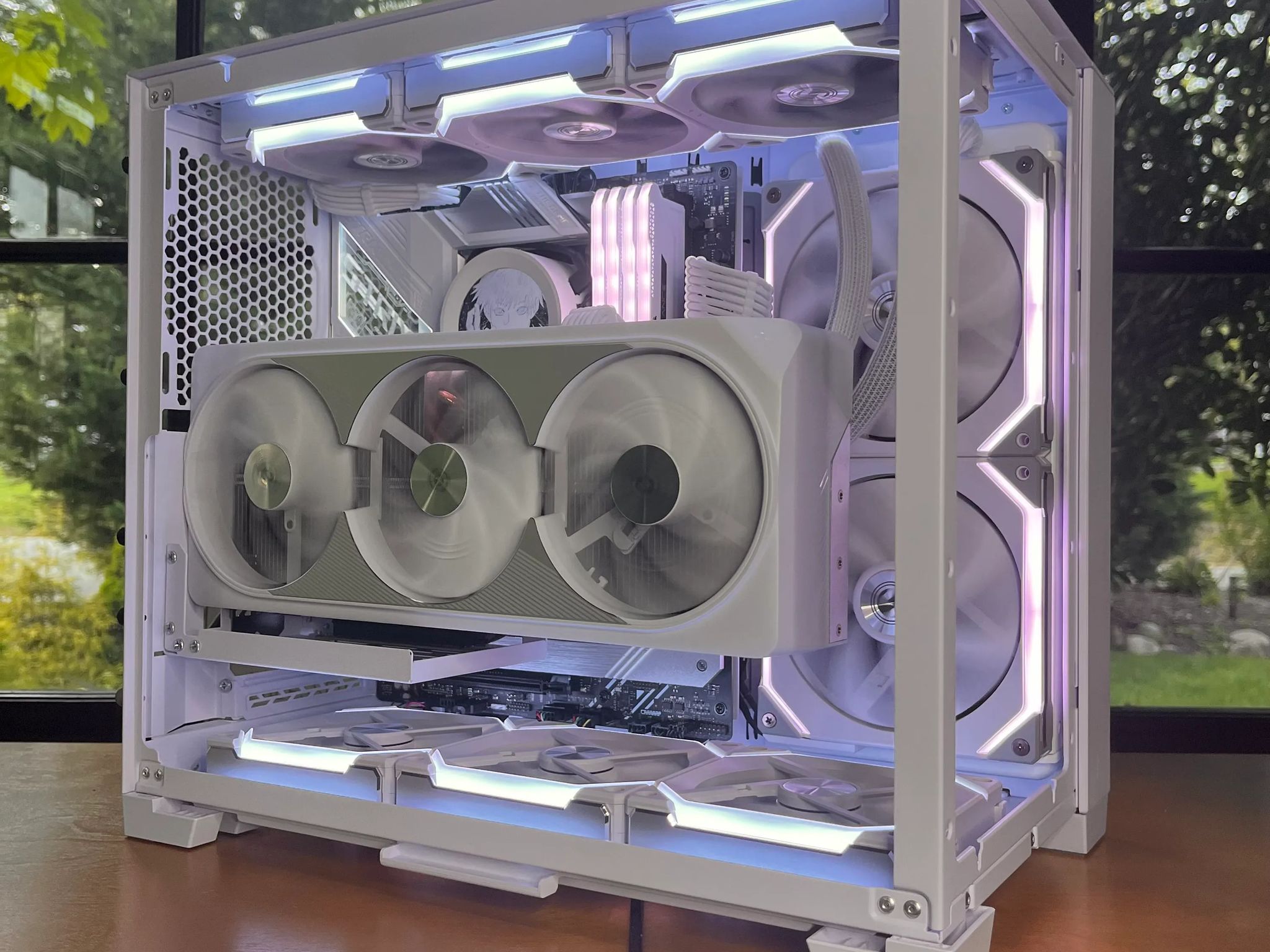
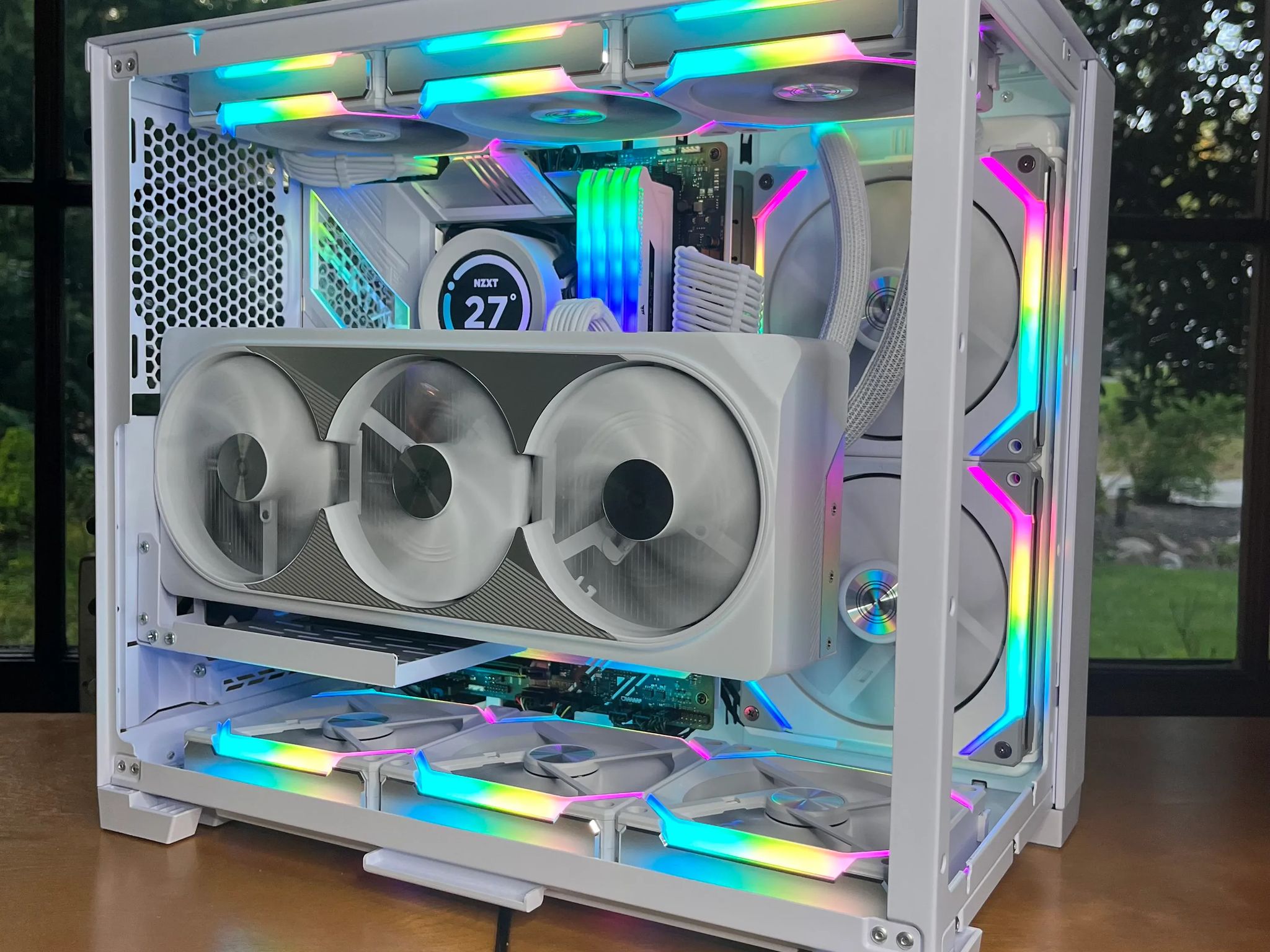
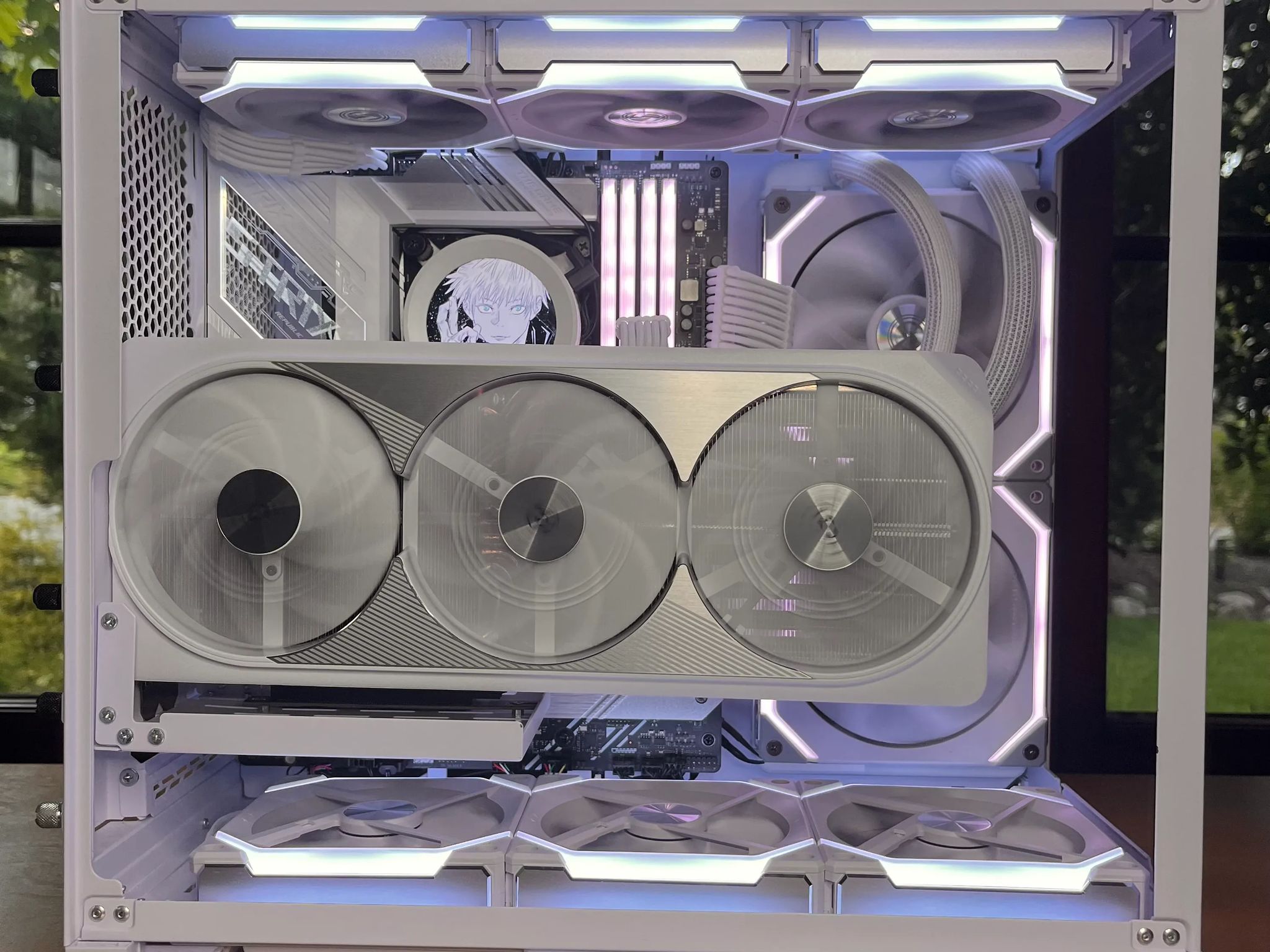
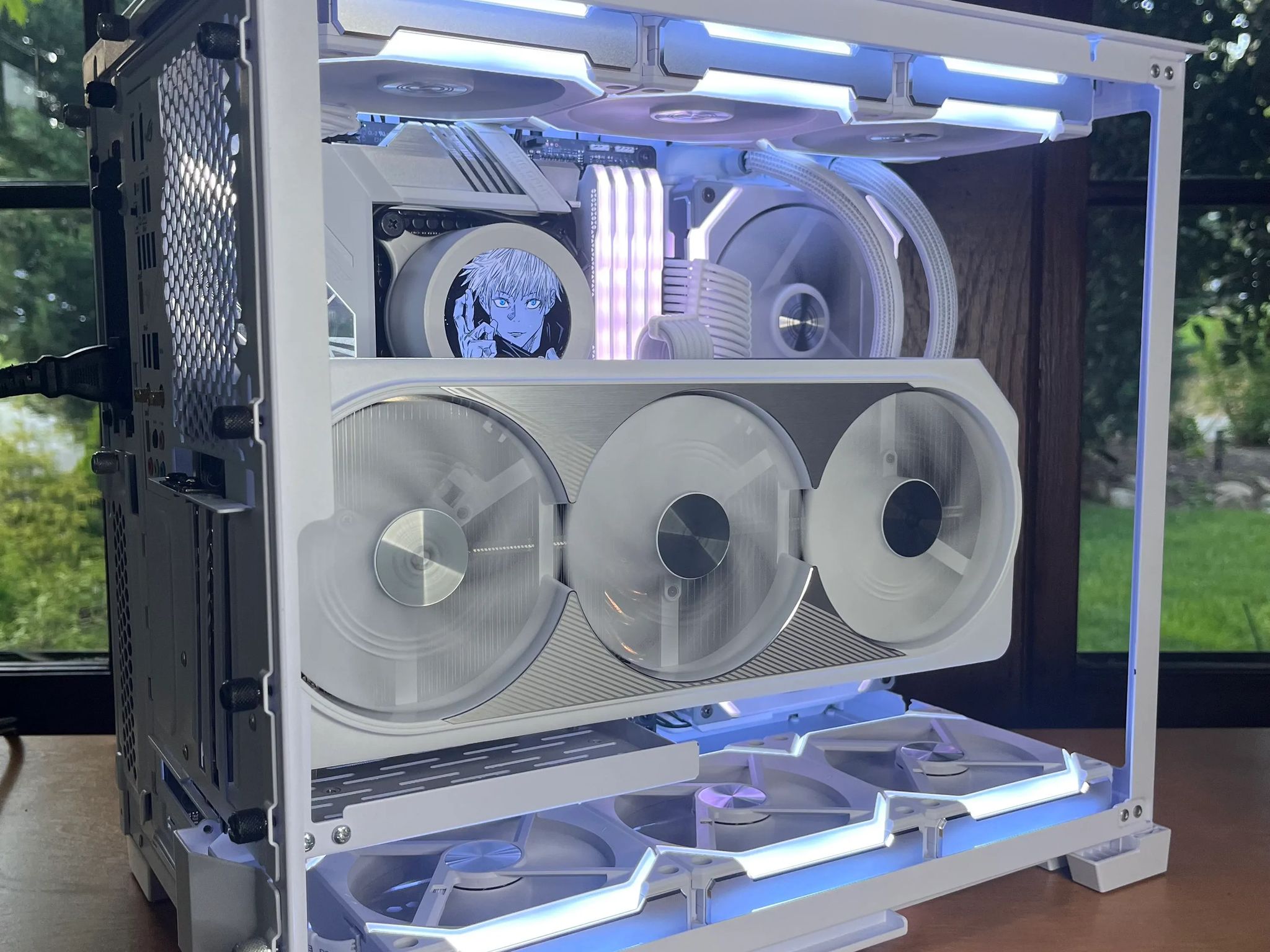
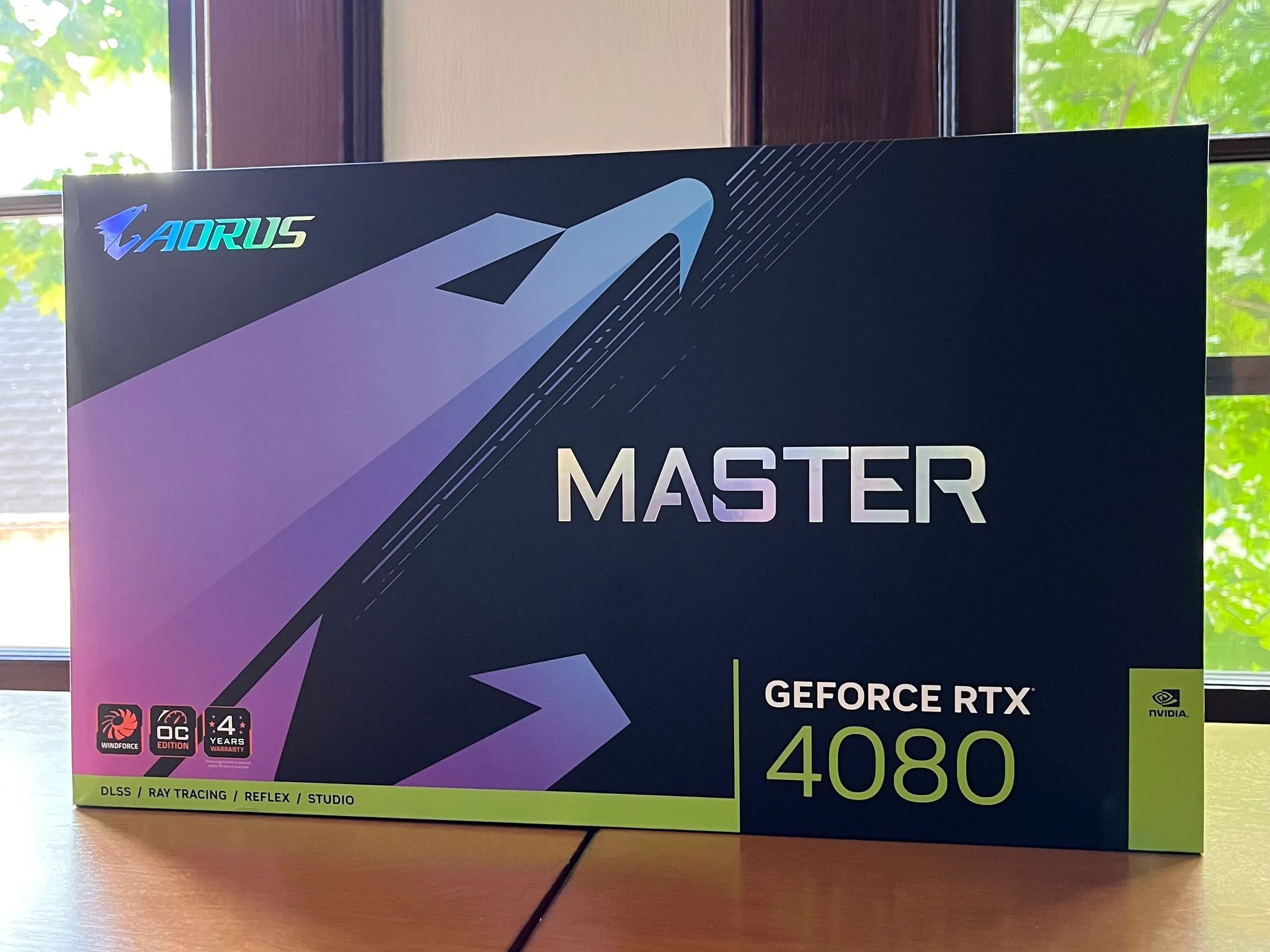
Instinct - 4080 // 13700k // 64GB DDR4 / 2TB Gen4 - White Gaming PC


Overview & Specs
- Condition
- Brand New in Box
Description from Seller
Use Promocode welcome10 for $10 off (new customers only)
FEEL FREE TO OFFER PRICES
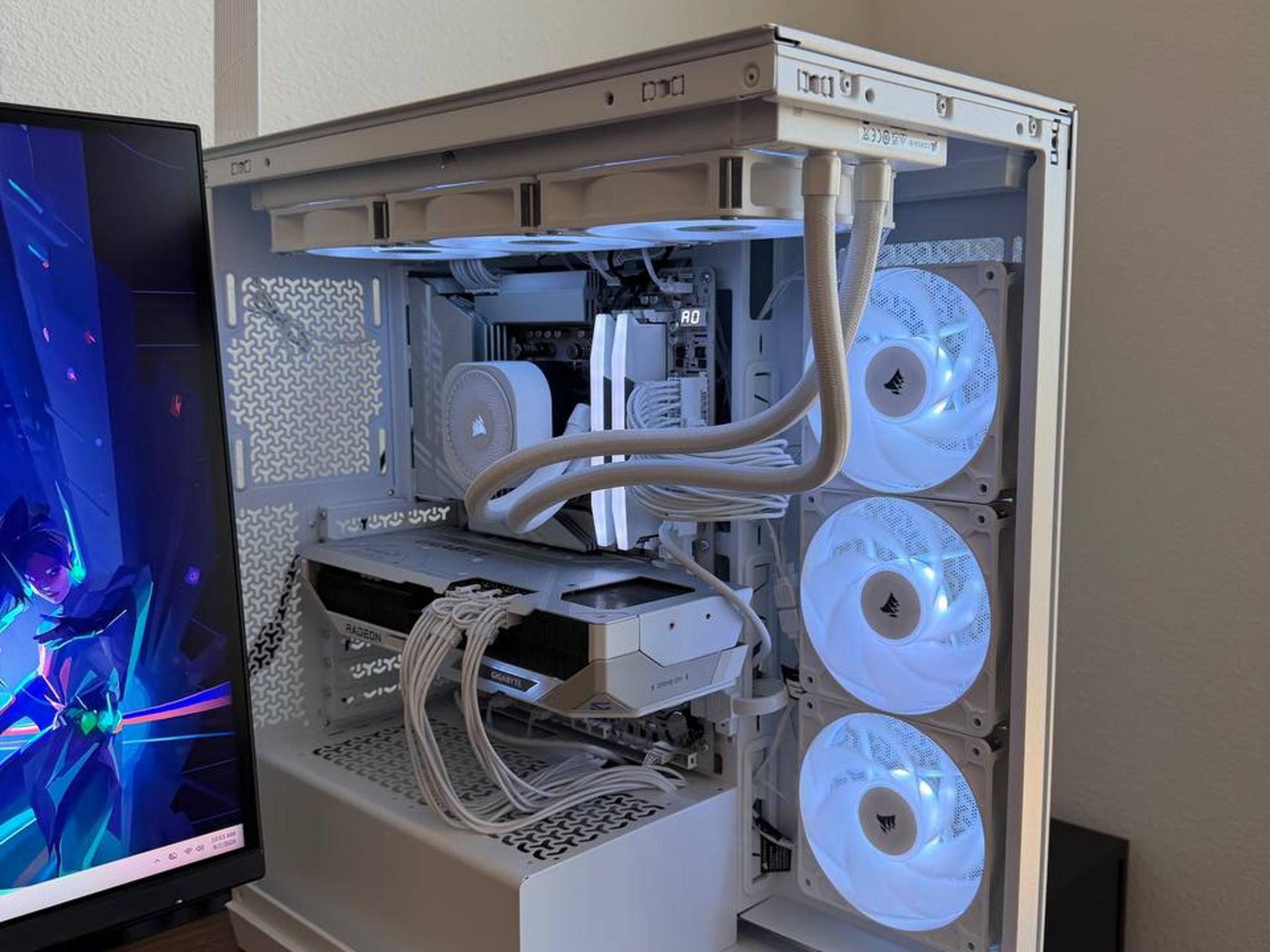
Top of the line specs and amazing looks for a great price! Ideal for anything from 1080p to 4k Gaming/Streaming. Can handle heavy loads easily and runs flawlessly while streaming and gaming. The 13700k is a great performance CPU and is kept super cool under the Z63 in a push pull config averaging 30C idle and only hitting 70-80C max when playing most high end titles. Paired with the 4080 we can guarantee it can run any game super smoothly with absolutely no stuttering at all! Feel free to ask anything about this PC whether it be performance comparisons or swapping parts or upgrading anything, we will be happy to work with you!
30-Day Limited Warranty and free pc optimization package!
Like The Post Linked in bio
Follow BTB on Jawa and Socials Stay updated with all new PCs and posts
1-Year Manufacturer Warranty
-
- 📦 Size: Small / Medium / Large
-
- ✨ Performance Tier: Budget / Low / Mid / High/ Extreme
-
- 🖥️ Recommended Resolution: 1080p / 1440p / 4K
-
- 📺 Maximum Resolution: 1080p / 1440p / 4K
-
- 🎮 Quality Settings: Low / Medium / High / Ultra
-
- 🏎️ Performance Settings: Low / Medium / High / Ultra
-
- 🔫 Competitive Settings: Low / Medium / High / Ultra
Specifications:
- CPU: i7 13700k 16 Cores / 24 Threads / 5.4Ghz
- GPU: RTX 4080 16GB Gigabyte Aero White
- Cooler: Custom Painted Z63 LCD AIO 280mm
- Mobo: Asus ROG Strix Z690-A Wifi D4
- Ram: Corsair RGB Pro SL 64GB (4x16) 3600 CL18
- SSD: 2TB Gen 4 NVMe SSD
- GPU: Case: O11D mini Snow w/Vertical Bracket
- PSU: Cooler Master v850 SFX G80+ A-Tier
- Accessory: Custom Ordered White Cables
- Accessory: White SL140 x2
- Accessory: White SL120 V2 x6
Recommended PC Control Software:
- OCCT (To make sure your computer is running fine) Armoury Crate (Control of motherboard rgb and PC settings)
- NZXT CAM (Change AIO Settings)
- Lian Li L-Connect 3 (Change fan speed and RGB)
- MSI Afterburner (GPU Control and OCing)
- Gigabyte RGB Fusion 2.0 (Control GPU RGB) iCUE (Control ram RGB)
If you want to condense the amount of RGB software on your system we recommend you use Signal RGB (you can't control the GPU lights on it however so if you use SignalBN RGB you will need to still download RGB Fusion 2.0) but we still recommended downloading Armoury Crate and disabling the RGB control on there as it will interfere with Signal RGB's control over the system but you can still monitor your system with no issues with Armoury Crate
CPU Benchmarks: Cinebench R23 Multi-Core: 30085 @85C Cinebench R23 Single-Core: 2051 @62C
GPU Benchmarks: Unigine Superposition @8k: 8438 @67C Unigine Superposition @4k: 22262 @60C Unigine Superposition @1080p: 16270 @55C
Similar listings


Shipping & Returns
Estimated arrival
Overview & Specs
- Condition
- Brand New in Box
Description from Seller
Use Promocode welcome10 for $10 off (new customers only)
FEEL FREE TO OFFER PRICES
Top of the line specs and amazing looks for a great price! Ideal for anything from 1080p to 4k Gaming/Streaming. Can handle heavy loads easily and runs flawlessly while streaming and gaming. The 13700k is a great performance CPU and is kept super cool under the Z63 in a push pull config averaging 30C idle and only hitting 70-80C max when playing most high end titles. Paired with the 4080 we can guarantee it can run any game super smoothly with absolutely no stuttering at all! Feel free to ask anything about this PC whether it be performance comparisons or swapping parts or upgrading anything, we will be happy to work with you!
30-Day Limited Warranty and free pc optimization package!
Like The Post Linked in bio
Follow BTB on Jawa and Socials Stay updated with all new PCs and posts
1-Year Manufacturer Warranty
-
- 📦 Size: Small / Medium / Large
-
- ✨ Performance Tier: Budget / Low / Mid / High/ Extreme
-
- 🖥️ Recommended Resolution: 1080p / 1440p / 4K
-
- 📺 Maximum Resolution: 1080p / 1440p / 4K
-
- 🎮 Quality Settings: Low / Medium / High / Ultra
-
- 🏎️ Performance Settings: Low / Medium / High / Ultra
-
- 🔫 Competitive Settings: Low / Medium / High / Ultra
Specifications:
- CPU: i7 13700k 16 Cores / 24 Threads / 5.4Ghz
- GPU: RTX 4080 16GB Gigabyte Aero White
- Cooler: Custom Painted Z63 LCD AIO 280mm
- Mobo: Asus ROG Strix Z690-A Wifi D4
- Ram: Corsair RGB Pro SL 64GB (4x16) 3600 CL18
- SSD: 2TB Gen 4 NVMe SSD
- GPU: Case: O11D mini Snow w/Vertical Bracket
- PSU: Cooler Master v850 SFX G80+ A-Tier
- Accessory: Custom Ordered White Cables
- Accessory: White SL140 x2
- Accessory: White SL120 V2 x6
Recommended PC Control Software:
- OCCT (To make sure your computer is running fine) Armoury Crate (Control of motherboard rgb and PC settings)
- NZXT CAM (Change AIO Settings)
- Lian Li L-Connect 3 (Change fan speed and RGB)
- MSI Afterburner (GPU Control and OCing)
- Gigabyte RGB Fusion 2.0 (Control GPU RGB) iCUE (Control ram RGB)
If you want to condense the amount of RGB software on your system we recommend you use Signal RGB (you can't control the GPU lights on it however so if you use SignalBN RGB you will need to still download RGB Fusion 2.0) but we still recommended downloading Armoury Crate and disabling the RGB control on there as it will interfere with Signal RGB's control over the system but you can still monitor your system with no issues with Armoury Crate
CPU Benchmarks: Cinebench R23 Multi-Core: 30085 @85C Cinebench R23 Single-Core: 2051 @62C
GPU Benchmarks: Unigine Superposition @8k: 8438 @67C Unigine Superposition @4k: 22262 @60C Unigine Superposition @1080p: 16270 @55C