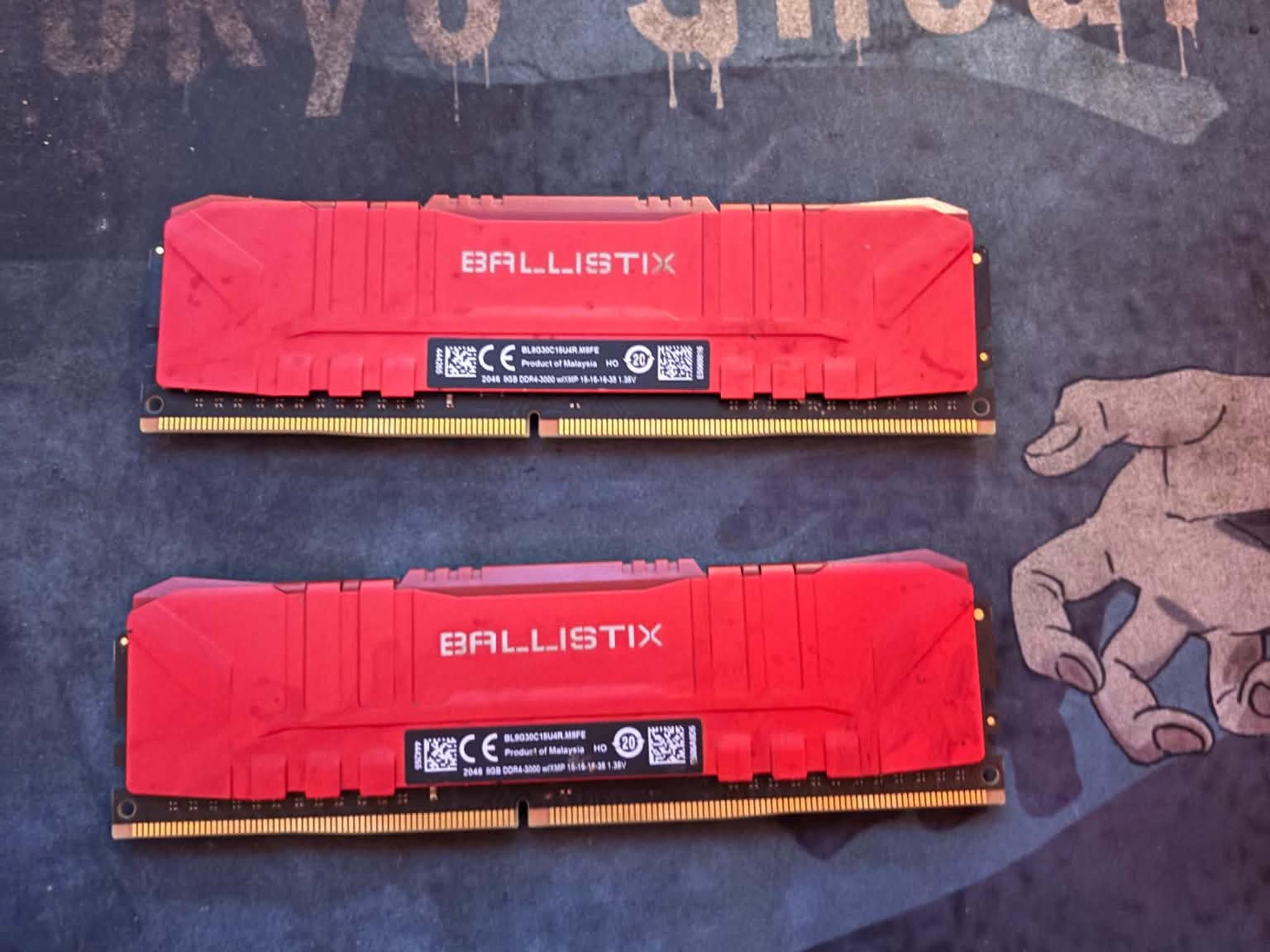
2x8GB DDR4 3200 CL18


Overview & Specs
- Condition
- Used, Good
- Usage
- 3 years
Description from Seller
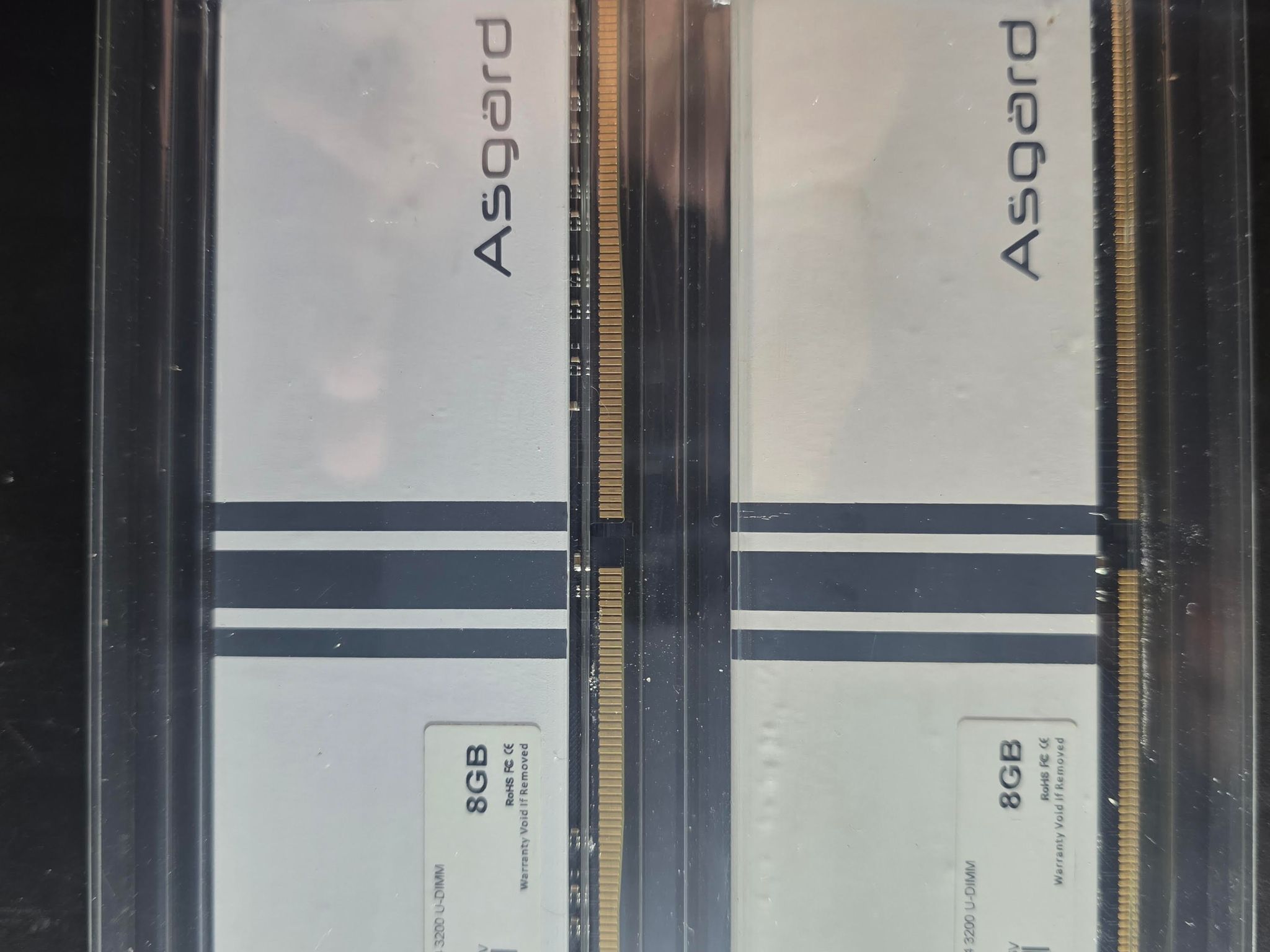
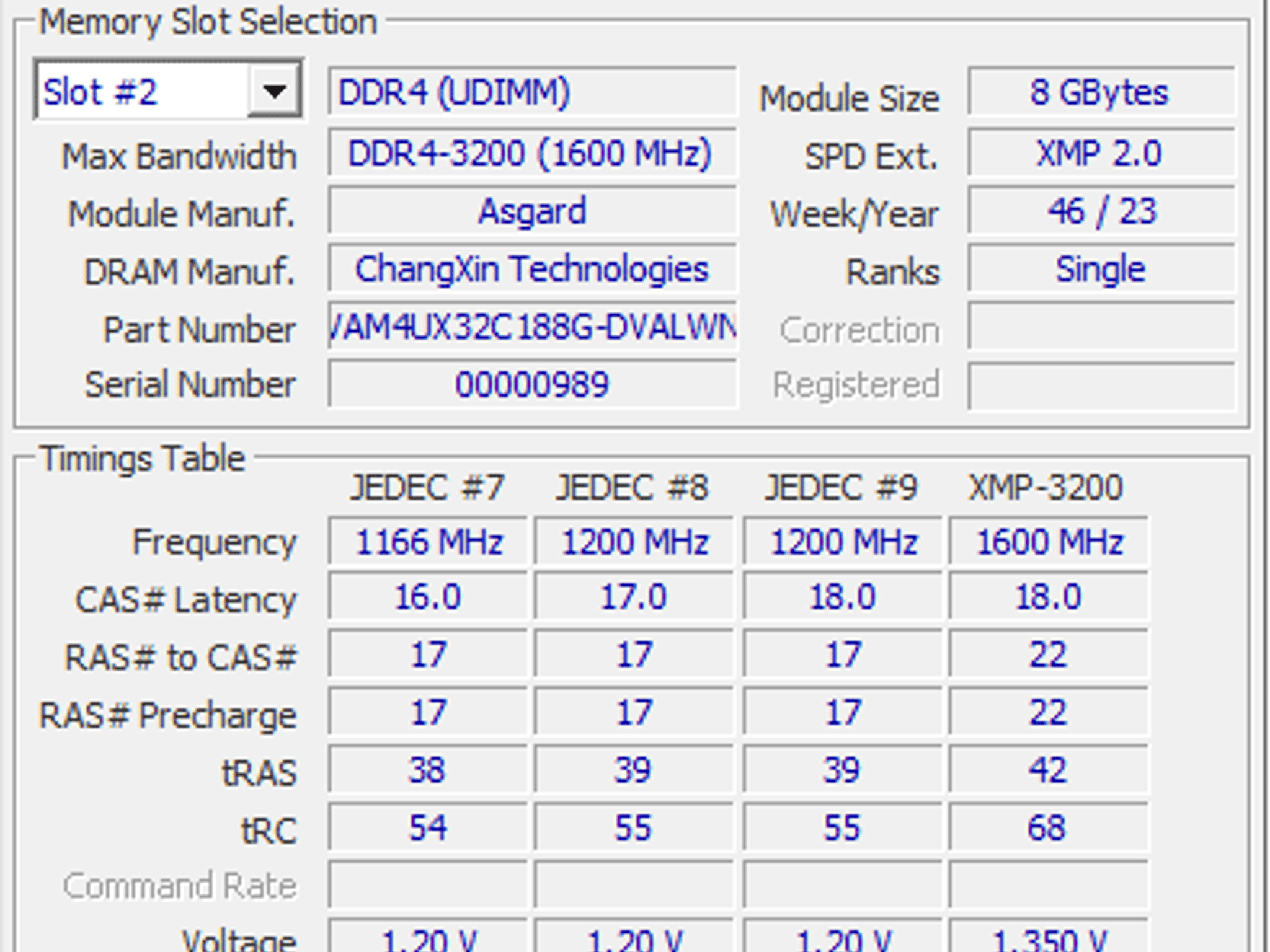
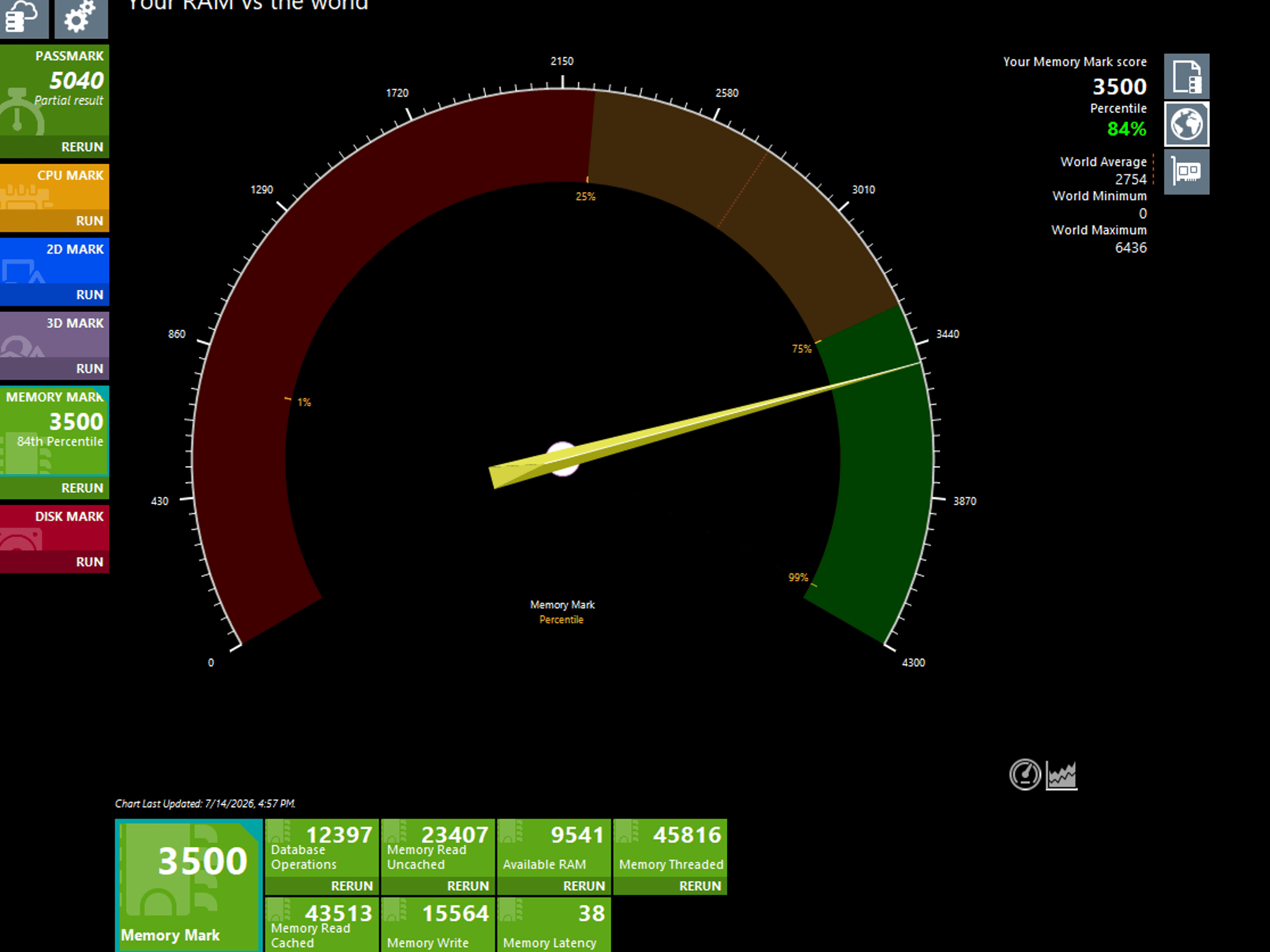
Please refer to the screenshots for specs and manufacturer.
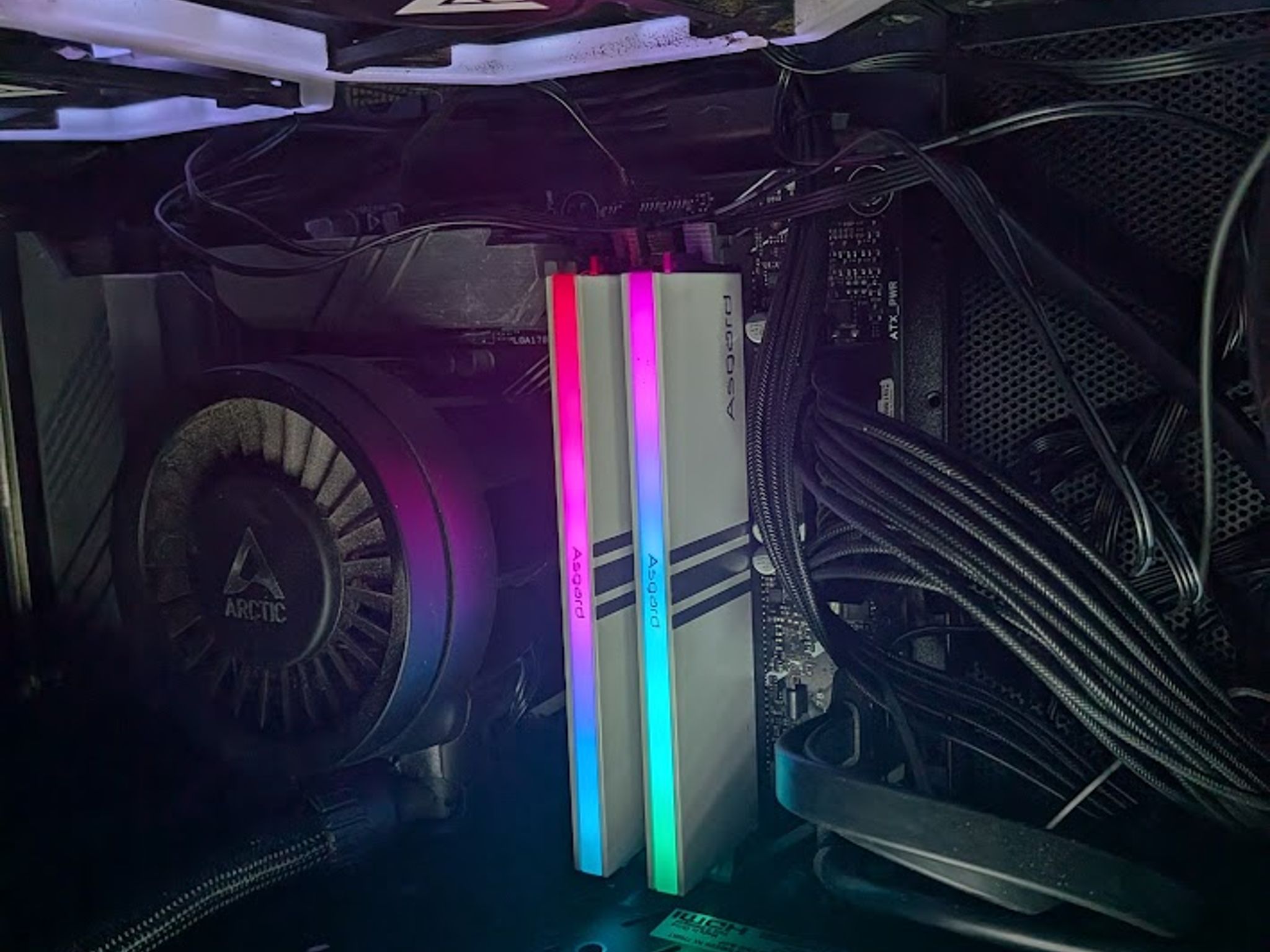
Also, please take ram troubleshooting steps when installing, in the off chance motherboard memory training has issues. That is to install one stick in the far right slot, wait for a boot, proceed to shut down, and install the other stick leaving a space between the far right stick if installing in a 4 memory slot board, exactly how it is pictured above. If upgrading ram, please reset BIOS to default settings.
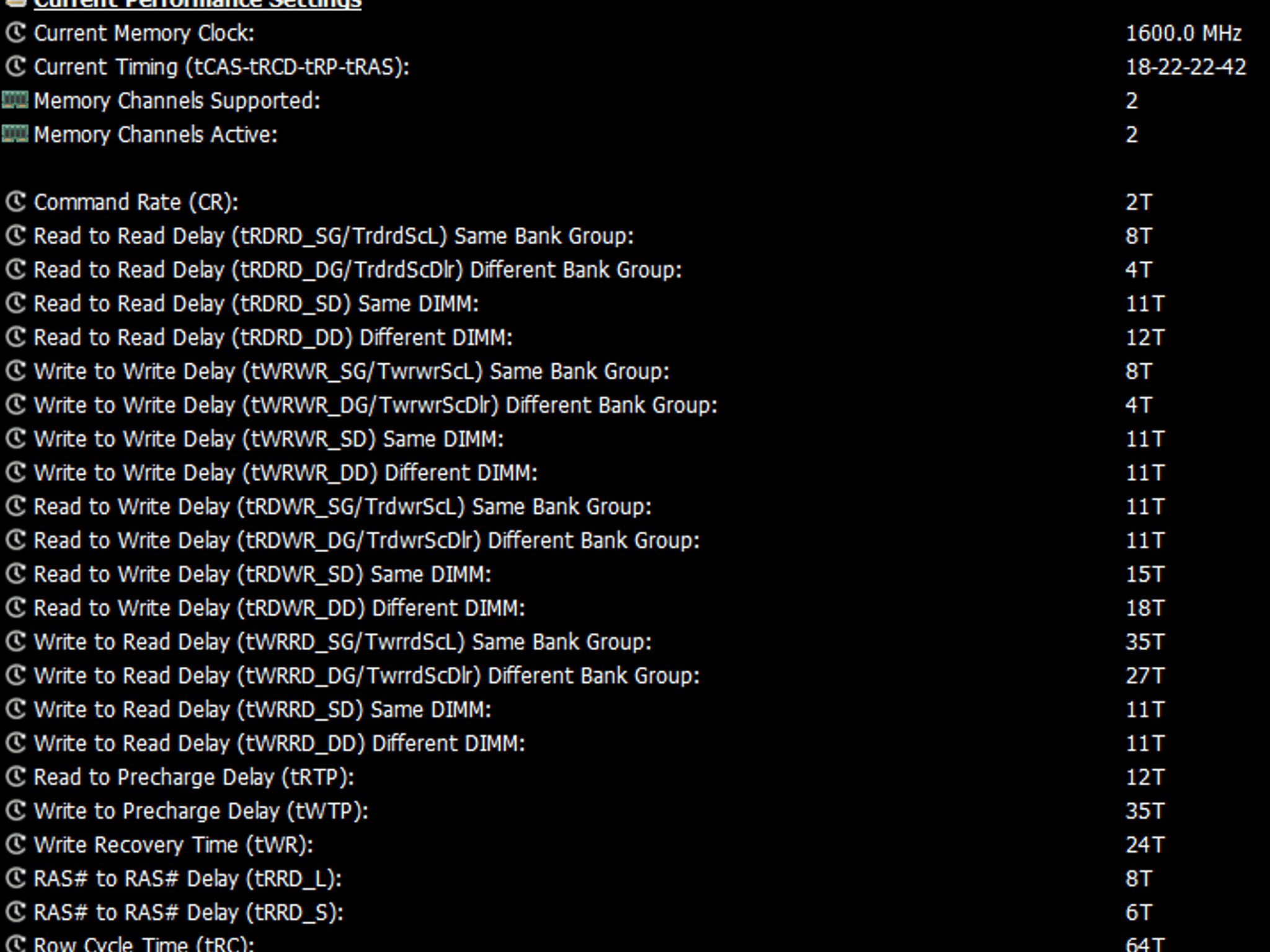
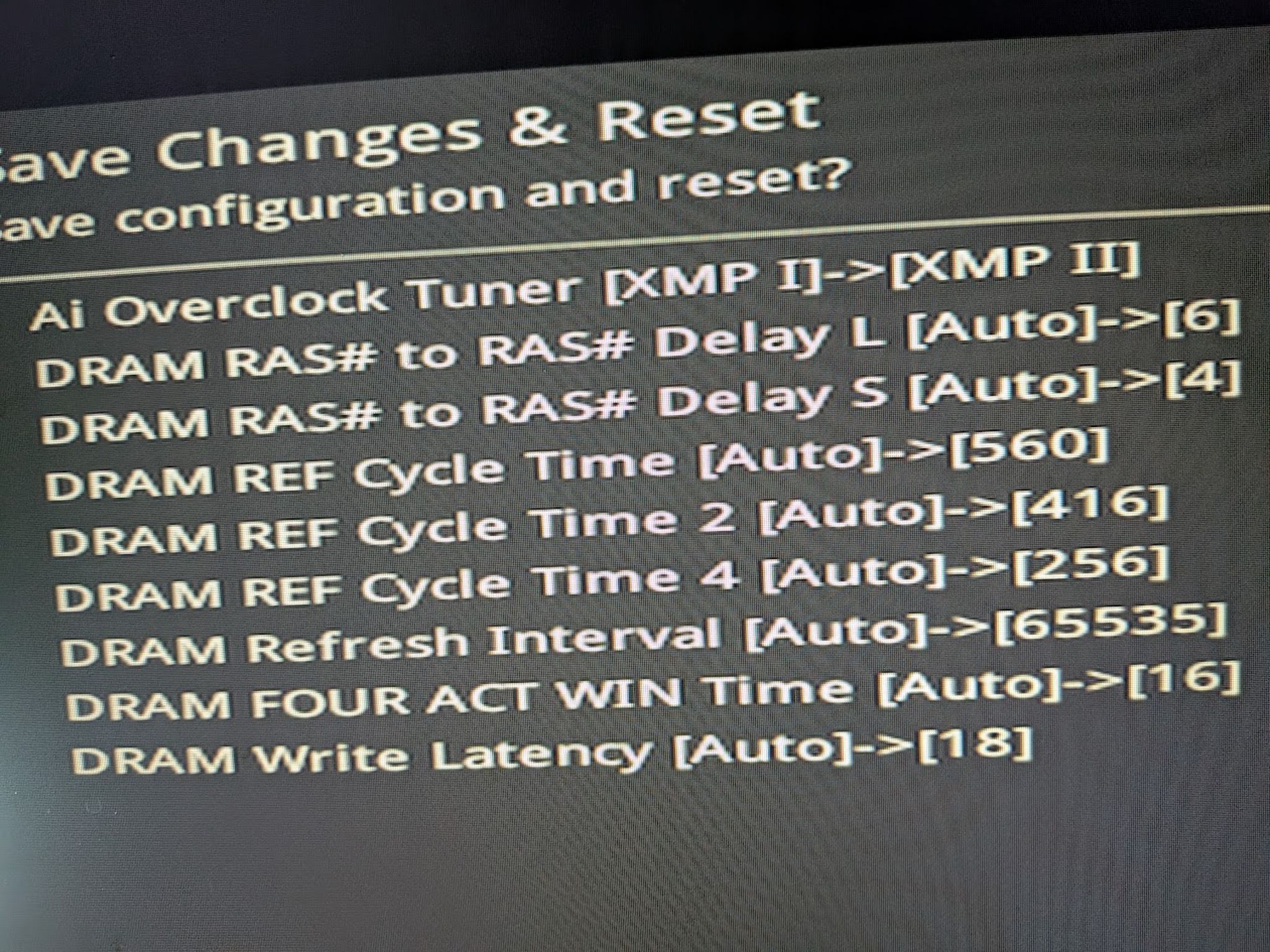
I included some minor BIOS ram timing changes you can make for a snappier experience, mind you, RAM timings are also dependent on your CPU's "IMC" or "Internal memory controller", but the changes aren't anything crazy and have passed Testmem5's harsh 90 minute test.
They have RGB but I am not sure if they are controllable, otherwise, the lighting is vibrant yet balanced.
Thanks for looking!
Specifications
16GB DDR4
Specifications
- Capacity
- 16GB
- Type
- DDR4
- Number of Modules
- 2
- Form Factor
- DIMM (Desktop)
Similar listings


Shipping & Returns
Estimated arrival
Overview & Specs
- Condition
- Used, Good
- Usage
- 3 years
Description from Seller
Please refer to the screenshots for specs and manufacturer.
Also, please take ram troubleshooting steps when installing, in the off chance motherboard memory training has issues. That is to install one stick in the far right slot, wait for a boot, proceed to shut down, and install the other stick leaving a space between the far right stick if installing in a 4 memory slot board, exactly how it is pictured above. If upgrading ram, please reset BIOS to default settings.
I included some minor BIOS ram timing changes you can make for a snappier experience, mind you, RAM timings are also dependent on your CPU's "IMC" or "Internal memory controller", but the changes aren't anything crazy and have passed Testmem5's harsh 90 minute test.
They have RGB but I am not sure if they are controllable, otherwise, the lighting is vibrant yet balanced.
Thanks for looking!
Specifications
16GB DDR4
Specifications
- Capacity
- 16GB
- Type
- DDR4
- Number of Modules
- 2
- Form Factor
- DIMM (Desktop)